
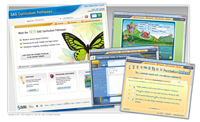
A reading, writing, test-taking, and learning tool, the software allows students to check their spelling while typing. Writing templates in the software’s Brainstorm format are geared toward learners who work well with graphics, rather than text-based draft writing templates. A “Start Writing” button helps streamline the starting points for writing, making it simple to access draft or brainstorm templates. A “Create Draft” button allows documents to be converted from outlines to drafts ready for expansion, while a “Review” button brings forward a writing checklist, allowing users to make sure they remembered all of their edits.
Handwriting fine-tuning
A research-based, developmentally appropriate handwriting program, ez Write was developed by an early childhood special-education teacher and an occupational therapist, with the objective of improving handwriting during the years of early education. Ez Write offers programs for children in pre-kindergarten through fourth grade, along with special education and English language learners.
Students using the software reportedly experience dramatic improvements in the letters per minute they write, as well as the legibility of their writing. The software encourages “automaticity,” or the ability of students to retrieve and produce letters automatically. Grade-level specific packages come ready for use in the classroom, with a training DVD for teachers as well as teacher worksheets and training guides.
- New film fights negative perception of teachers - September 16, 2011
- Textbook-free schools share experiences, insights - September 7, 2011
- Social websites are latest sources for plagiarized material - September 1, 2011