
3. Explore Empathy with Virtual Reality Experiences
Although skeptics have argued that VR experiences can’t create genuine empathy, some teachers who use apps like NYT VR see real potential for social and emotional learning (SEL). As with other subjects and skills, the key may be integrating VR experiences with additional activities and assessments that deepen learning. Students at a high school in Los Angeles used virtual reality to witness the impact of an explosion in Syria. After the virtual activity, the students were able to connect with Syrian kids in a refugee camp for a live video discussion about their experiences.
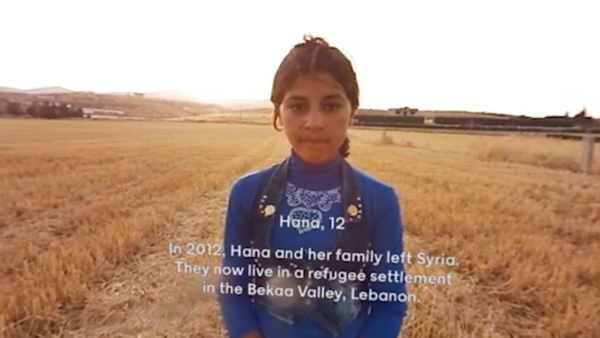
A middle school teacher in New York shared a lesson plan that starts by sandwiching a VR experience between discussions around the technology’s potential to create empathy. His students use Google Cardboard and the NYT VR app to view a short video about three child refugees, then read the accompanying articles about each child’s circumstances. These activities proved to be great motivators for reading and writing lessons. Related reading material can deepen the VR learning experience, as well as follow-up discussions that ask students to reflect on not only the differences, but the similarities between those kids in faraway countries and themselves. Ask students to imagine what type of virtual film they might create to share their own lives with other kids around the world.
4. Create Augmented and Virtual Reality Media
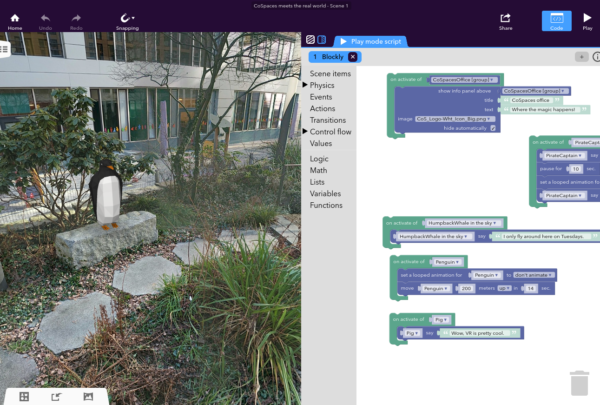
Teachers are not only guiding students through VR and AR experiences, they’re getting kids to create their own 3D media with apps like CoSpaces Edu and Aurasma. One fifth-grade class used Chromebooks and the CoSpaces Edu app to build a virtual American colony with animated colonists who traded goods and sailed on merchant ships. Students could use Cardboard headsets to then experience the colony in 3D. Although students will need to know how to code to use the CoSpaces app, they can deploy it across various subject areas to create infographics, tell stories, or model scientific principles.
Students can use the Aurasma app to create augmented reality enhancements for posters, writing assignments, and artwork. They choose an Aura overlay and a trigger photo or object; the overlay can be a video, an image, or an animation that will appear when someone finds the trigger. This type of media creation allows kids to get creative while making deeper learning connections between the physical triggers and digital Auras. For example, students can create Auras to show videos of themselves reviewing a novel or narrating the biography of a classmate. Integrating AR creation into your lesson plan can help students think critically about both content creation and presentation strategies.
 [Editor’s note: This post originally appeared on Common Sense Education.]
- We need a continuous K–12 literacy system - October 7, 2026
- “My boss probably used AI”: What school leaders need to know about AI, authenticity, and trust - October 6, 2026
- Learner agency comes first in AI-driven digital literacy - October 5, 2026