
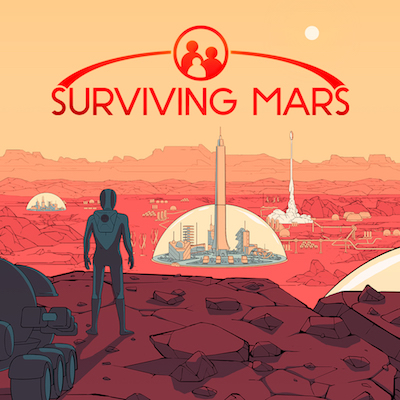
2. Surviving Mars: Colonizing Mars is in our future, but why wait?
Surviving Mars is a great game to explore the science of colonization and the realities of living on a planet with no atmosphere. Any class that currently uses SimCity or the like could use Surviving Mars in a similar fashion, maybe best in an afterschool setting or as homework (since a single game can take dozens of hours). The game could easily be played over multiple sessions, interspersed with other assignments, and would make a good companion piece to the recent book (or movie) The Martian. The game keeps track of a score already, so it would be possible to use a high score list in class; maybe divide the class into groups and compare their aggregate or average scores to each other so that it isn’t so competitive. Team members would then be compelled to help each other out, sharing tips and tricks for successful colony management.
3. Check123: Free online video library keeps it short and sweet
Teachers can use Check123 to introduce content. The short videos are great for lesson hooks or defining a new term during a lesson. The lesson feature, though, is what makes Check123 really useful. This feature is tailor-made for the flipped classroom. Teachers can create a video lesson in less than 10 minutes. First, select one or a few videos on a particular topic; the Smart Search feature allows teachers to search for videos based on a URL or pasted text. Then insert a couple of questions into the videos to check for understanding. Quiz questions help teachers know if students were paying attention, and students will know they didn’t miss the key concepts. Share the URL with students and require them to watch before coming to class. With very little prep work, students are ready for discussion and teachers can maximize class time.
4. Lightwell: No coding required–visual app design for the rest of us
App design isn’t just about designing apps. Much like making a movie or creating a game, app creation can be a great way for students to share knowledge, solve problems, and make learning fun. Because Lightwell doesn’t depend on prerequisite programming skills; it can be integrated into any subject area, not just computer science classes. Creative writers can design an app that tells a story and make it more interesting with alternate endings. Instead of writing a paper, students can share their research with an app. Do you have a unique curriculum? Recruit students to build a custom study tool for your classes.
5. RaiseMe: Proactive tool lets students earn scholarship money in high school
While RaiseMe is geared more toward students than teachers, educators can support students by encouraging them to build positive digital footprints, apply for scholarships, and think seriously about college–especially if they haven’t before. Students may be motivated to see money add up with improvement in grades and increased GPAs. Teachers can use RaiseMe as a real-life learning tool to help students gain experience with budgeting for college. Career teachers and counselors can help students see how the work they put in today can translate into academic and financial benefits down the road, putting students in the driver’s seat and showing them that college can be a reality.

- Children learn best on paper: We need better technology, not less of it - July 13, 2026
- In districts, reaching readiness, retention, and success - March 5, 2026
- AI use is on the rise, but is guidance keeping pace? - January 2, 2026