
What success looks like
The University of Cumberlands partnered with Hobsons to expand its digital presence and generate qualified leads for a growing online degree program. Based on the university’s goals, Hobsons developed a multi-faceted digital marketing campaign that included a lead generation-focused microsite; hyper-targeted keyword terms; and leveraged the Google Display Network to identify additional outreach opportunities.
In less than a year, the campaign delivered 576 leads (or completed inquiry forms), of which 113 applied and 49 enrolled. With a 19.6 percent conversion rate from inquiry to application and an 8.5 percent conversion rate from inquiry to enrollment, these figures dwarf the inquiries generated with purchased lists (a rate of only 2 to 3 percent) and has helped the university revamp its communication strategy for the coming year.
Four steps to launch your next Google AdWords campaign
Step 1: Google’s free AdWords tools can help turn your campus’ marketing campaign into a student recruitment superstar.
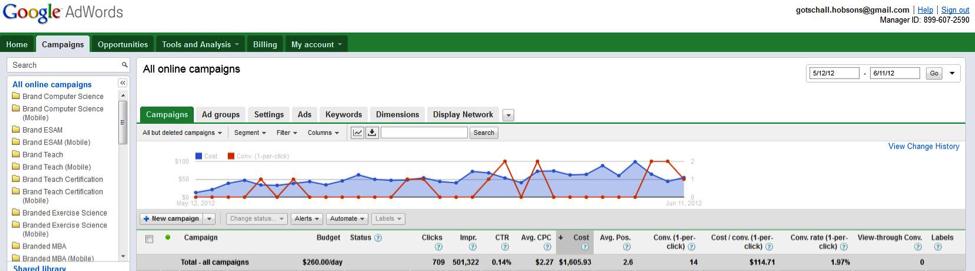
First, launch your campaign in Google, (here’s how), and review your data to ensure your parameters match your goals. Select the campaign you wish to analyze by choosing a substantial amount of data within the campaign’s active date range via the “Campaigns” tab. With a new campaign, I recommend using at least two weeks worth of data for your analysis. Seven days may be appropriate for campaigns with significant history and volume.
Step 2: Use the Google Adwords “Keywords” tab to sort by “average position” (more commonly known as the Google search results page where your ad appears). Select your target keyword and then select average position under the “Filter” tab.
- Career readiness in the AI era needs decision practice, not just tool access - September 4, 2026
- Building an everyday equitable practice for AI in schools - September 3, 2026
- A new approach to middle school math data boosted our state test scores - September 2, 2026