


Onsite Installation
An onsite solution was provided to reduce data usage on premise. Rather than download the application via the internet, the installation files were provided on the organization’s network. (These installation files were special Click to run versions of Office). Once a student copied the installation files to his/her laptop, the Suite could be installed normally, with registration then being done online via the Office 365 portal.
This solution ensured that bandwidth was not congested with hundreds of students downloading the Suite at the same time while on campus. Thus, the remainder of the organization could continue to operate normally.
In fact, web access to the installation site was blocked on campus to ensure that students used the locally provided installation files.
Licensing
Licensing software for over 500 individuals using personally owned devices can be time consuming. However, each student registered his/her copy of Office via the Office365 portal using existing credentials; the username and password used to access the College network and all organization resources. This was possible due to integration of the student Microsoft “cloud” accounts with the local College network.
Students did not require yet another user name and password, something that is common with “external” web based resources. This reduced confusion and eliminated the need for the distribution of yet another set of credentials to each student. Thus, the overheads for the organization were minimal.
Guides and support
A comprehensive BYOL “course” was also added to the Online Learning Environment (OLE) for the organization. This contained detailed instructions on how to access and install Office, as well as information on a range of other important software and resources.
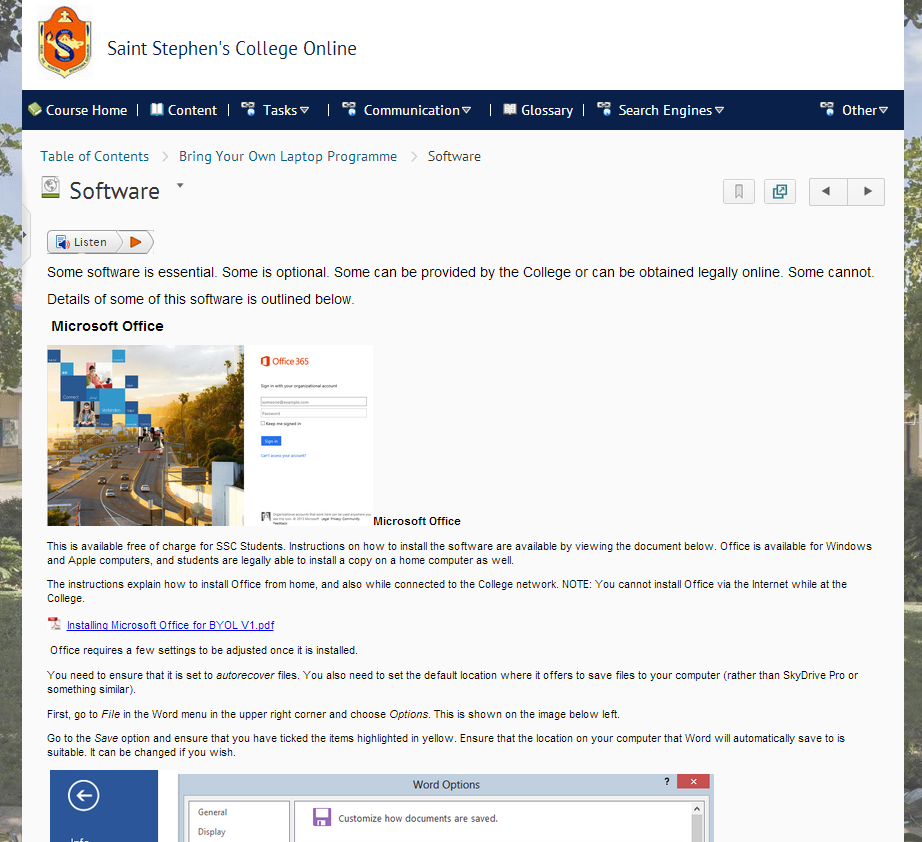
This course also contained training videos and documents for all of the key software and solutions, including components of Office365 such as OneDrive Pro.
Summary
Integrated software solutions, detailed online support and careful planning and preparation can allow a smooth transition to a BYOL program, providing a solution that enhances education while keeping support problems to a minimum.
Peter West is Director of eLearning at Saint Stephen’s College in Australia. He has over 15 years’ experience leading K-12 schools in technology enhanced education, particularly blended learning using online learning environments. He can be contacted at pwest@ssc.qld.edu.au.
- The traditional classroom works so why change it? - February 23, 2017
- Are outdated computers reverting students to a prehistoric era? - November 17, 2016
- Blended learning and the paradox of the experienced teacher - September 30, 2014