
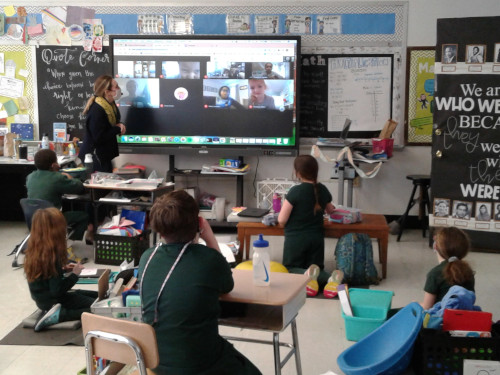
The final consideration is flexibility. Today’s classrooms are filled with electronic devices. With districts mixing and matching Windows, MacBooks, and Chromebooks for both teachers and students, it can be a challenge to find a wireless screen mirroring system that can handle not only computers and mobile devices but also traditional AV devices such as a Blu-ray player. Even microscopes now have HDMI ports, which allow students to see tiny details without sharing microscopes by simply connecting it to the WPS and sharing the view on screen. Look for a wireless presentation system that enables a wide variety of different devices, media players, and other HDMI sources to wirelessly connect to the projector or flat panel. With the right WPS, teachers can literally tap to teach, and multiple students can connect and share to the screen simultaneously, creating an immersive, fun, and engaging discussion.
For schools with more room in the budget and/or needing to update glitchy whiteboards or lamp-based projectors, the next step would be to install a new cloud-based education interactive display in addition to a wireless presentation system. There are a variety of interactive models available to fit a spectrum of budgets, are incredibly easy to use, and provide educators with state-of-the-art collaborative features that are now in high demand.
While interactive displays have proven successful in improving engagement and comprehension, it’s undoubtedly a concern to have multiple students touching the same surface repeatedly throughout the day. A WPS can help mitigate this logistical challenge, but there are also interactive displays designed with certifiable germ-resistant screens to prevent disease transmission when touched. This way schools don’t have to lose sensory-based learning to enhance comprehension. Another concern is air quality and eye health. Rather than buy additional air quality sensors or blue light blocking glasses, there are interactive screens that incorporate air quality sensors, blue light filtering, anti-glare glass, and flicker-free capabilities.
In addition, schools may find themselves needing to implement digital signage options that will allow them to communicate and remind staff and students of health policies, news, and alerts. Displays with digital signage creation and dissemination features will enable interactive displays in every classroom to become a digital signage screen for broadcasting these messages in a timely and safe manner.
Cloud-based models allow teachers to utilize the display in the same manner as they would a laptop. They should be able to log-in to access personalized settings, programs, and files. This way they have the flexibility to leverage innovative whiteboard capabilities to create and present on the fly and directly from the display, and then save and share the file immediately with students.
An increasing concern is training as more devices, programs, and apps are added to teachers’ plates. For that reason, the focus should be on simplicity, with displays that can become a platform-agnostic classroom nucleus where educators can use programs and apps, such as Canvas, Class Dojo, or SeeSaw, and cloud-based services, such as Google Drive or Dropbox, that they already rely on. Where screen recording and videoconferencing is a priority, a built-in microphone array will allow them capture audio as they work, and recordings can then be saved and shared with students to refer to later. Organizations where innovative support is a must, such as advanced engineering and STEM programs, will benefit from all-in-one premium models that feature everything from built-in video cameras and a microphone array to a duo mode feature that allow two displays to be combined into one massive collaborative surface.
The last two years were a testing bed for many schools. They were able to experience and identify what technological advancements and capabilities in the classroom are needed to support the future of education. Not only did schools move to 1:1 almost overnight, but they also forged new pathways in collaborative learning for both remote and in-class students. Now, schools must use what they’ve learned to make technology changes that will support changing health concerns while immersing students in learning in new ways. With a technology approach that balances costs and innovation, schools can ensure that teachers and students don’t miss a beat in any circumstance and improve outcomes.
- The future of educational equity isn’t just more resources–it’s more access to experiences - October 16, 2026
- Vibe coding: 3 easy steps to classroom magic - October 15, 2026
- Helping students discover they belong in science - October 14, 2026