
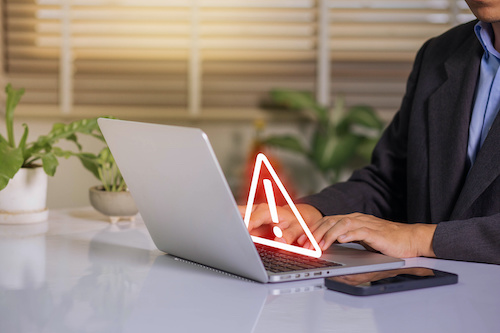
Stay vigilant
Don’t be lulled into mindless clicking—on web addresses, emails, texts, or attachments. Stay alert. Train yourself, for example, to routinely hover your pointer over email addresses and unknown links so you can see the full link and verify if they’re legitimate before you click. Never click on a link in a pop-up ad or email unless you’re sure of the source.
Here are some other things you should—or shouldn’t—do to help prevent phishing attacks:
- Keep anti-virus and spam software updated on all your devices. Usually, you can update settings and status by clicking on the program icon. It’s worth the time to periodically make sure you have the latest versions.
- Beware of fake orders. Before you call a telephone number or click on a link asking you to confirm a product or service purchase, make sure it’s something you ordered. This common scam is an attempt to steal your credit card number or other sensitive personal data.
- Cover your webcam to keep unauthorized apps from recording you and your work environment. Use duct tape, washi tape, sticky notes, slide covers—they all do the job.
- Avoid participating in social media polls, quizzes and chain posting.
- Lock your computer screen whenever you move away from it. It’s an easy step, and some systems even let you set up automatic locking. Your IT administrator can help you determine the best method for your work setting and habits.
- Do not conduct business on public Wi-Fi accessible in coffee shops, malls, or other public spaces. While many locations utilize encryption and other security technology, don’t take the chance that the one you’re visiting is not up to date. Enjoy your latte but skip the offsite work.
- Always secure your device in a safe place.
“I clicked it, now what?”
Unfortunately, relentless hackers do sometimes trip up even the most diligent of users. If you discover you’ve clicked on a malicious link, suspect a data breach, lost a device, or have one stolen, here’s what you can do to minimize the impact:
- Notify your IT department immediately
- Run a security scan on any impacted device(s)
- Change your passwords
- Report identity theft to IdentityTheft.gov
- Report fraud to the Federal Trade Commission or phishing to the Anti-Phishing Working Group
Finally, don’t neglect to configure the privacy settings on all the devices you use at home and in school. Typically accessed under a heading such as “Profile,” “Account,” or “Settings,” options let you set up sharing and connecting parameters, manage your public visibility and create your passwords and protection. Whenever the option is available, always choose two- or multi-factor authentication.
Following these basic steps and staying vigilant will help outsmart the hackers determined to target your school systems and data. We are all responsible for cybersecurity and the safety of our information and our students’.
Related:
Preparing for ransomware attacks begins with education
Safeguarding K-12 school networks with proactive cybersecurity approaches
- Teachers weigh the realities of classroom technology in new national survey - September 25, 2026
- An early childhood classroom: Supporting emotional well-being amid everyday challenges - September 24, 2026
- Inspiring curiosity for career exploration and mentoring for pathway success - September 23, 2026